
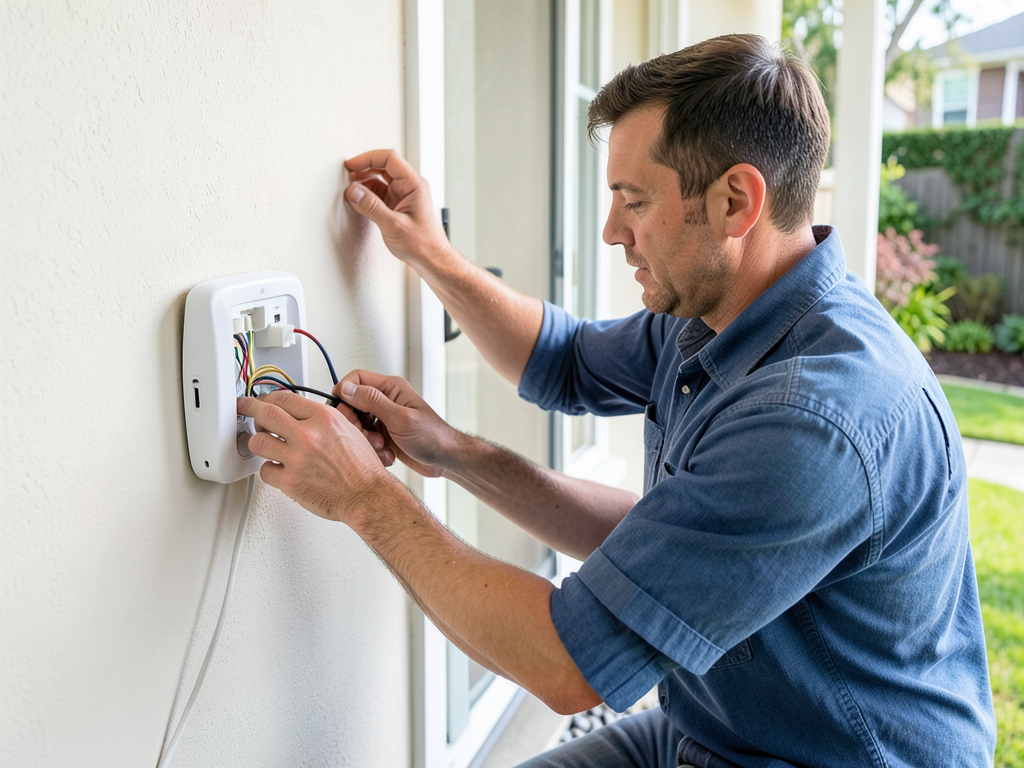
Connecting Your HVAC System to Your Apple or Google Smart Home in Torrey Highlands
Smart home technology has revolutionized comfort and convenience in San Diego homes. If you live in Torrey Highlands and want to control your heating and cooling from your iPhone or Google Nest Hub, you’re in the right place. This guide walks you through the entire process of integrating your HVAC system with Apple HomeKit or Google Home, including compatibility checks, installation steps, and local incentives available through SDG&E. Zone Control Systems.
Why Torrey Highlands Homeowners Are Choosing Smart HVAC Integration
Torrey Highlands experiences warm summers and mild winters, making HVAC efficiency crucial for year-round comfort. Smart integration allows you to automate temperature adjustments based on your schedule, optimize energy use during SDG&E’s peak pricing hours, and monitor your system’s performance remotely. With California’s Title 24 energy standards becoming more stringent, smart thermostats also help ensure your home meets current compliance requirements. California Title 24 Energy Standards.
Local homeowners appreciate the ability to create climate zones that account for Torrey Highlands’ varied microclimates within a single property. A smart system can automatically adjust for afternoon sun exposure on west-facing rooms or account for the cooling effect of coastal breezes that occasionally reach this inland community.. Read more about Do Smart Vents Actually Help Fix Cold Spots in Large Rancho Bernardo Houses?.
Top Smart Ecosystems for Your San Diego Home
Both Apple HomeKit and Google Home offer robust HVAC integration options, but they differ in their approach and compatibility requirements.
Google Nest Learning Thermostat works seamlessly with most HVAC systems and offers native integration with Google Home. It learns your schedule over time and can automatically adjust temperatures to save energy. The Nest Thermostat E provides a more budget-friendly option with similar functionality but a simpler design.
Apple HomeKit requires specific smart thermostats that support HomeKit, such as the Ecobee SmartThermostat with Voice Control or the Honeywell Home T9. These devices offer tight integration with Siri and the Home app on iOS devices. HomeKit also provides enhanced security features that some privacy-conscious homeowners prefer.
Amazon Alexa users can integrate most smart thermostats through the Alexa app, though Alexa isn’t the focus of this guide since the title specifically mentions Apple and Google ecosystems.
Technical Requirements: Is Your Current System Compatible?
Before purchasing any smart thermostat, you need to verify your HVAC system’s compatibility. Most modern systems work with smart thermostats, but older equipment may require additional components.
The C-wire (common wire) is essential for powering smart thermostats. Many older homes in Torrey Highlands were built without C-wires, which means you’ll need to either run a new wire or use a power adapter kit. Without proper power, your smart thermostat may experience frequent disconnections or battery drain issues. Humidity Issues Indoors.
Wi-Fi signal strength is another critical factor. Mechanical closets where HVAC equipment is often located can have poor Wi-Fi coverage. You may need to install a Wi-Fi extender or use a wired Ethernet connection for reliable smart thermostat operation.
Two-stage heating and cooling systems require thermostats that can control multiple stages. If your system has variable-speed equipment, ensure your chosen smart thermostat supports this advanced functionality for optimal performance and energy savings.
Heat pump systems have specific wiring requirements. If you have a heat pump with auxiliary heat, you’ll need a thermostat that can properly control both the heat pump and backup heating elements. Incorrect wiring can cause the system to run inefficiently or not at all.
Local Incentives: SDG&E Rebates and Title 24 Compliance
SDG&E offers rebates for qualifying smart thermostats that help reduce energy consumption during peak demand periods. Current rebates range from $50 to $120 depending on the model and its energy-saving features. These rebates are available through the SDG&E Marketplace website and can significantly offset the cost of upgrading to a smart system.
California Title 24, Part 6 requires new HVAC installations to meet specific energy efficiency standards. Smart thermostats help meet these requirements by providing precise temperature control and energy usage monitoring. When replacing your HVAC system, your contractor must ensure the new equipment and controls comply with current Title 24 standards.
Time-of-Use (TOU) rate optimization is another benefit of smart HVAC integration. SDG&E’s TOU plans charge higher rates during peak hours (typically 4-9 PM). Smart thermostats can automatically adjust cooling schedules to pre-cool your home before peak pricing begins, reducing your energy costs without sacrificing comfort.
The California Energy Commission’s Building Energy Efficiency Standards (Title 24) also require commissioning and testing of new HVAC systems. This process verifies that your smart controls are properly configured and that the system operates as designed.
Advanced Integration: Zoning and IAQ Sensors
Smart HVAC integration becomes even more powerful when combined with zoning systems and indoor air quality sensors. Torrey Highlands homes often have multi-level designs where upstairs rooms heat up faster than downstairs areas. Smart zoning allows you to maintain different temperatures in different areas simultaneously.
Ecovent and Flair smart vents can create DIY zoning solutions by automatically adjusting airflow to individual rooms based on temperature sensors and occupancy data. These systems work with most smart thermostats and can significantly improve comfort while reducing energy waste.
Indoor air quality (IAQ) monitoring has become increasingly important in San Diego, where wildfire smoke and seasonal allergens affect air quality. Smart IAQ sensors can trigger your HVAC system to switch to recirculation mode when outdoor air quality is poor, or activate your air purifier when particulate levels rise.
Humidity control is another consideration for Torrey Highlands residents. Smart thermostats with humidity sensors can automatically adjust your system to maintain optimal indoor humidity levels between 30-50%, preventing mold growth and improving comfort during San Diego’s occasional humid periods.
Integration with whole-house air purifiers and UV light systems allows you to monitor filter life and system performance through your smart home app. Some advanced systems can even automatically order replacement filters when they detect reduced airflow.
Step-by-Step Installation Process
Installing a smart thermostat involves several key steps to ensure proper operation and safety.
First, turn off power to your HVAC system at the circuit breaker. This prevents electrical shock and protects your equipment during installation. Most HVAC systems use a dedicated 240V circuit that should be clearly labeled in your electrical panel.
Next, remove your existing thermostat and document the wiring configuration. Take a clear photo of the wires and their corresponding terminals before disconnecting anything. This reference will be invaluable if you encounter any confusion during installation.
Install the new mounting plate according to the manufacturer’s instructions. Smart thermostats often require different mounting configurations than traditional models, so ensure the plate is level and securely attached to the wall.
Connect the wires to the new thermostat, paying careful attention to the C-wire requirement. If your system lacks a C-wire, you may need to install a common wire or use the included power adapter kit.
Attach the thermostat display and restore power to your HVAC system. The thermostat should power on and begin the setup process, which typically involves connecting to your Wi-Fi network and configuring basic settings.
Configure the thermostat through the companion app, setting up your schedule, temperature preferences, and any advanced features like geofencing or energy-saving modes.
Test the system thoroughly by running both heating and cooling cycles to verify proper operation. Check that all stages of your HVAC equipment are functioning correctly and that the thermostat accurately controls temperature.
Common Troubleshooting Issues
Even with proper installation, you may encounter some common issues when integrating smart HVAC controls.
Wi-Fi connectivity problems are the most frequent complaint. If your thermostat keeps disconnecting, check for interference from other devices, ensure your router is within range, or consider a wired Ethernet connection if available.
Incorrect wiring can cause your system to behave erratically. If your heating or cooling doesn’t turn on when expected, double-check that all wires are in the correct terminals. Many smart thermostats have online wiring helpers that can diagnose common configuration errors.
Battery drain issues often indicate a missing or faulty C-wire. Smart thermostats need constant power, and without a C-wire, they may drain batteries quickly or experience performance problems.
Geofencing features that don’t work properly may be due to location services being disabled on your phone or incorrect radius settings. Ensure your smart home app has permission to access your location and adjust the geofence radius to match your typical commute patterns.
If your system short-cycles (turns on and off frequently), this could indicate a compatibility issue or incorrect thermostat settings. Some systems require specific cycle rates or temperature differentials to operate properly.
Security and Privacy Considerations
Smart home devices introduce potential security vulnerabilities that you should address. Use strong, unique passwords for your smart home accounts and enable two-factor authentication whenever possible.
Keep your smart home apps and firmware updated to protect against known security vulnerabilities. Manufacturers regularly release security patches that address newly discovered threats.
Consider creating a separate Wi-Fi network for your smart home devices to isolate them from your primary network. This limits potential damage if one device is compromised.
Review the privacy policies of your smart home ecosystem. Some platforms collect extensive usage data for product improvement, while others offer more privacy-focused alternatives.
Be cautious about granting third-party app access to your smart home system. Only authorize integrations from trusted developers and regularly review connected applications.
Voice Assistant Integration
Both Apple HomeKit and Google Home offer voice control capabilities that enhance your smart HVAC experience.
With Apple HomeKit, you can use Siri to control your thermostat with commands like “Hey Siri, set the living room temperature to 72 degrees” or “Hey Siri, what’s the temperature inside?” HomeKit also supports more complex scenes that can adjust multiple devices simultaneously.
Google Home integration allows similar voice commands through Google Assistant. You can say “Hey Google, make it cooler in here” or “Hey Google, turn on the AC.” Google’s natural language processing is particularly good at understanding conversational commands.
Both platforms support routines that can combine HVAC control with other smart home actions. For example, you could create a “Good morning” routine that gradually warms your home, turns on lights, and starts your coffee maker.
Voice control is especially useful when your hands are full or when you’re in another room and want to make quick temperature adjustments without using your phone.
Energy Savings and ROI
Smart HVAC integration typically reduces energy consumption by 10-23% according to EPA studies. In San Diego’s high-cost electricity market, these savings can be substantial.
The payback period for smart thermostat installation is usually 1-2 years when factoring in energy savings and available rebates. Premium models with advanced features may take slightly longer to recoup their higher upfront costs.
Additional savings come from improved system diagnostics that can identify maintenance issues before they become major problems. Smart thermostats can alert you to dirty filters, malfunctioning sensors, or other issues that reduce efficiency.
Many insurance companies offer discounts for homes with smart security and environmental monitoring systems. While HVAC integration alone may not qualify, comprehensive smart home setups often do.
Increased home value is another consideration. Smart home features are increasingly important to buyers, particularly in tech-savvy communities like Torrey Highlands.
Professional vs. DIY Installation
While many homeowners successfully install smart thermostats themselves, professional installation offers several advantages.
Professional installers can verify system compatibility before purchase, preventing the frustration of buying equipment that won’t work with your existing HVAC setup. They also have the tools and expertise to handle complex wiring situations.
Technicians can optimize your system’s performance by configuring advanced settings that most DIY installers overlook. This includes proper cycle rates, temperature differentials, and staging configurations for multi-stage equipment.
Professional installation often includes warranty coverage and ongoing support, giving you peace of mind if any issues arise after installation.
If your system is older, has complex wiring, or you’re uncomfortable working with electrical equipment, professional installation is strongly recommended. The cost is typically offset by the assurance of proper operation and optimal energy savings.
Future-Proofing Your Smart Home
As smart home technology evolves, consider how your current choices will accommodate future upgrades.
Choose a smart home ecosystem that supports the devices you already own or plan to purchase. Mixing ecosystems can create compatibility headaches and limit functionality.
Look for devices that support open standards like Matter, which aims to improve interoperability between different smart home platforms. This future-proofs your investment as the industry moves toward standardized protocols.
Consider your long-term plans for home automation. If you’re interested in expanding to lighting, security, or entertainment control, select a platform that offers the features and device ecosystem you’ll need.
Plan for potential HVAC upgrades. If you’re considering a heat pump installation or adding zoning in the future, ensure your smart controls can accommodate these changes.
Stay informed about local building code changes that may affect smart home installations. San Diego’s building codes continue to evolve with technology, and staying compliant protects your investment.
Conclusion
Connecting your HVAC system to Apple HomeKit or Google Home in Torrey Highlands offers significant benefits in comfort, convenience, and energy savings. With proper planning and installation, you can create a smart home environment that responds to your needs while reducing your environmental impact and utility costs.
The key to success is understanding your current system’s capabilities, choosing compatible equipment, and taking advantage of local incentives through SDG&E and California’s energy efficiency programs. Whether you opt for DIY installation or professional service, the investment in smart HVAC integration typically pays for itself through improved comfort and reduced energy bills.
Ready to upgrade your Torrey Highlands home with smart HVAC controls? Call (619) 304-5777 today to schedule your inspection and learn about current rebates available in your area. Our NATE-certified technicians understand San Diego’s unique climate challenges and can ensure your system is optimized for maximum efficiency and comfort.
Frequently Asked Questions
Do I need a C-wire for my smart thermostat?
Yes, most smart thermostats require a C-wire (common wire) to provide continuous power. If your current thermostat doesn’t have a C-wire, you may need to install one or use a power adapter kit. Many homes in Torrey Highlands were built without C-wires, so this is a common requirement.
How much can I save with a smart thermostat in San Diego?
Smart thermostats typically reduce HVAC energy consumption by 10-23%, which translates to significant savings in San Diego’s high electricity cost environment. When combined with SDG&E rebates and optimal scheduling during Time-of-Use rate periods, many homeowners see payback periods of 1-2 years.
Will my smart thermostat work during a power outage?
Most smart thermostats have battery backup that maintains basic functionality during brief outages. However, Wi-Fi connectivity and advanced features will be unavailable until power is restored. If you have a whole-house generator, your smart thermostat will continue operating normally.
Can I control my smart thermostat when I’m away from home?
Yes, both Apple HomeKit and Google Home allow remote control through their respective apps. As long as your home has internet connectivity, you can adjust temperatures, check system status, and receive alerts from anywhere using your smartphone or tablet. For more information, visit SDG&E Smart Thermostat Rebates.
{
“@context”: “https://schema.org”,
“@type”: “BlogPosting”,
“headline”: “Connecting Your HVAC System to Your Apple or Google Smart Home in Torrey Highlands”,
“description”: “Learn how to connect your HVAC system to Apple HomeKit or Google Home in Torrey Highlands. Get expert smart home integration tips, local rebates, and troubleshooting advice from Elite HVAC.”,
“wordCount”: 2508,
“datePublished”: “2026-06-10T15:33:00.000Z”,
“dateModified”: “2026-06-10T15:33:00.000Z”,
“inLanguage”: “en-US”,
“mainEntityOfPage”: {
“@type”: “WebPage”,
“@id”: “https://elitehvacsandiego.com”
},
“publisher”: {
“@type”: “LocalBusiness”,
“name”: “Elite HVAC San Diego”,
“url”: “https://elitehvacsandiego.com”
},
“author”: {
“@type”: “Organization”,
“name”: “Elite HVAC San Diego”,
“url”: “https://elitehvacsandiego.com”
},
“image”: {
“@type”: “ImageObject”,
“url”: “https://elitehvacsandiego.com/wp-content/uploads/2026/03/connecting-your-hvac-system-to-your-apple-or-googl-1.png”
}
}
{
“@context”: “https://schema.org”,
“@type”: “HVACBusiness”,
“name”: “Elite HVAC San Diego”,
“url”: “https://elitehvacsandiego.com”,
“address”: {
“@type”: “PostalAddress”,
“addressLocality”: “San Diego”
},
“areaServed”: {
“@type”: “City”,
“name”: “San Diego”
}
}
{
“@context”: “https://schema.org”,
“@type”: “FAQPage”,
“mainEntity”: [
{
“@type”: “Question”,
“name”: “Technical Requirements: Is Your Current System Compatible?”,
“acceptedAnswer”: {
“@type”: “Answer”,
“text”: “Before purchasing any smart thermostat, you need to verify your HVAC system’s compatibility. Most modern systems work with smart thermostats, but older equipment may require additional components.”
}
},
{
“@type”: “Question”,
“name”: “Do I need a C-wire for my smart thermostat?”,
“acceptedAnswer”: {
“@type”: “Answer”,
“text”: “Yes, most smart thermostats require a C-wire (common wire) to provide continuous power. If your current thermostat doesn’t have a C-wire, you may need to install one or use a power adapter kit. Many homes in Torrey Highlands were built without C-wires, so this is a common requirement.”
}
},
{
“@type”: “Question”,
“name”: “How much can I save with a smart thermostat in San Diego?”,
“acceptedAnswer”: {
“@type”: “Answer”,
“text”: “Smart thermostats typically reduce HVAC energy consumption by 10-23%, which translates to significant savings in San Diego’s high electricity cost environment. When combined with SDG&E rebates and optimal scheduling during Time-of-Use rate periods, many homeowners see payback periods of 1-2 years.”
}
},
{
“@type”: “Question”,
“name”: “Will my smart thermostat work during a power outage?”,
“acceptedAnswer”: {
“@type”: “Answer”,
“text”: “Most smart thermostats have battery backup that maintains basic functionality during brief outages. However, Wi-Fi connectivity and advanced features will be unavailable until power is restored. If you have a whole-house generator, your smart thermostat will continue operating normally.”
}
},
{
“@type”: “Question”,
“name”: “Can I control my smart thermostat when I’m away from home?”,
“acceptedAnswer”: {
“@type”: “Answer”,
“text”: “Yes, both Apple HomeKit and Google Home allow remote control through their respective apps. As long as your home has internet connectivity, you can adjust temperatures, check system status, and receive alerts from anywhere using your smartphone or tablet. For more information, visit SDG&E Smart Thermostat Rebates.”
}
}
]
}
{
“@context”: “https://schema.org”,
“@type”: “BreadcrumbList”,
“itemListElement”: [
{
“@type”: “ListItem”,
“position”: 1,
“name”: “Home”,
“item”: “https://elitehvacsandiego.com”
},
{
“@type”: “ListItem”,
“position”: 2,
“name”: “Blog”,
“item”: “https://elitehvacsandiego.com/blog”
},
{
“@type”: “ListItem”,
“position”: 3,
“name”: “Connecting Your HVAC System to Your Apple or Google Smart Home in Torrey Highlands”
}
]
}
{
“@context”: “https://schema.org”,
“@type”: “Service”,
“serviceType”: “HVAC”,
“provider”: {
“@type”: “LocalBusiness”,
“name”: “Elite HVAC San Diego”,
“url”: “https://elitehvacsandiego.com”
},
“areaServed”: {
“@type”: “City”,
“name”: “San Diego”
},
“description”: “Learn how to connect your HVAC system to Apple HomeKit or Google Home in Torrey Highlands. Get expert smart home integration tips, local rebates, and troubleshooting advice from Elite HVAC.”
}